


A Budget-Friendly Laptop for Gaming Beginners: Casper Excalibur G870


We took a close look at the Casper Excalibur G870, starting at 57,406 TL, for anyone just getting into gaming: its configurations, user reviews and how well it fits student life.
Last Updated: October 22, 2026
Starting at 57,406 TL, the Casper Excalibur G870 is a price/performance-focused gaming laptop for people shopping for a gaming computer on a 60,000 TL budget, those new to gaming, and anyone who wants to use the same device at school, in the dorm or for everyday tasks. The starting configuration includes a Series 2 Intel Core 7 230H processor, an NVIDIA GeForce RTX 3050 6GB graphics card, a 15.6-inch FHD IPS 165 Hz display and a 500GB PCIe 4.0 SSD; if the budget stretches, you can move up to configurations with the RTX 4050, RTX 5050 and RTX 5060. The 37 user reviews on Casper.com.tr average 4.97 out of 5: owners are happiest with the price/performance, cooling and long-term trouble-free use, while fan noise is the main downside mentioned. Support for up to 64GB of memory with 2 RAM slots and 2 M.2 SSD slots also makes it a sensible candidate for students planning to use it for years.


With a starting price of 57,406 TL and a 165 Hz display, the Casper Excalibur G870 appeals to gaming beginners
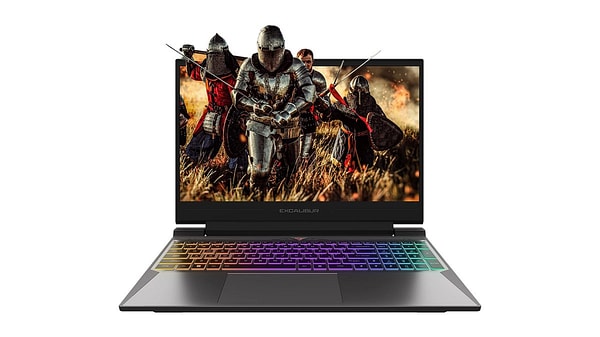
Who is the Casper Excalibur G870 gaming laptop for?
The Casper Excalibur G870 is a 15.6-inch gaming laptop for people new to gaming who want to play games and handle classes, homework and daily tasks on the same device without straining their budget. The starting configuration is listed at 57,406 TL, down 4% from 59,798 TL. That keeps it under a 60,000 TL budget, and you can put the remaining 2,594 TL toward upgrades.
What's in the Casper Excalibur G870's starting configuration?
- Processor: Series 2 Intel Core 7 230H
- Graphics card: NVIDIA GeForce RTX 3050 6GB 96-bit GDDR6
- RAM: 8GB DDR4
- Storage: 500GB M.2 PCIe 4.0 SSD (5000MB/s read, 4100MB/s write)
- Display: 15.6-inch FHD IPS, 165 Hz, 250 nits
- Operating system: FreeDOS
What makes the Excalibur G870 stand out for someone new to gaming?
- 165 Hz display: Refresh rate shows how many times per second the screen draws a new image. The Excalibur G870's 165 Hz IPS panel and the 3 ms response time Casper states help motion look smoother in fast-paced games. The panel also has an anti-glare coating and a 178° viewing angle.
- MUX Switch: According to Casper, the MUX Switch saves energy with the integrated GPU in everyday use and switches to the dedicated graphics card for games. The balance of power consumption and performance may vary depending on the graphics mode used.
- Twin-fan cooling: The Excalibur G870 has 2 FrostFlux fans with a total of 89 fan blades, spinning up to 5400 RPM. This matters, because keeping heat under control during long gaming sessions keeps performance from dropping.
- Aluminum alloy body: At 23.9 mm thick and 2.5 kg, it sits on the portable side among gaming laptops.
- RGB keyboard: 3-zone lighting, 65,026 colors and 6 different modes.
- Free game library: Casper includes 1 month of PC Game Pass with the Excalibur G870, which means you can spend your first month with access to more than 100 games without spending extra.
Casper Excalibur G870 user reviews: an average rating of 4.97 out of 5 across 37 reviews
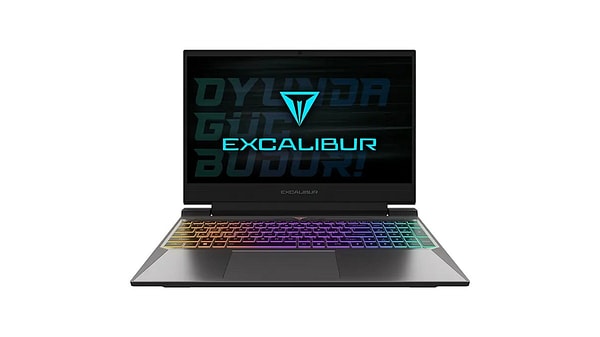
What do Casper Excalibur G870 user reviews say? Are owners happy?
Casper Excalibur G870 owners are largely happy: the product page on casper.com.tr has 37 user reviews with an average rating of 4.97 out of 5. The reviews span June 2023 to September 2026, so some of them relate to older hardware options no longer on the list (e.g., the RTX 4060). Still, recurring themes clearly show the model's strengths and weaknesses.
What do users praise most about the Excalibur G870?
- Price/performance: At least 7 reviews highlight the features the Excalibur G870 offers for its price.
- Cooling and heat: 5 reviews say they had no overheating issues during long gaming sessions or that they like the cooling. One user who uses it for developing and playing games says the cooling is good and the fan stays quiet compared to other computers with the same hardware.
- Long-term use: Two users say they've used it without problems for about 2 years, and one for 7 months.
- Sales and service experience: Several users are pleased with the attention at Excalibur stores and from customer service; one sees Casper's wide authorized service network as an advantage.
'I've been using it for about 2 years and I'm very happy.' (N. A., 16.09.2026)
'For the price, it's a great device. I don't regret buying it, I recommend it.' (A. S., 26.03.2025)
What downsides come up in Excalibur G870 reviews?
Negative comments are few, but they exist. In a review from October 2024, the user writes that they're happy with the cooling and the only issue is fan noise. Another review from July 2026 finds the fan quiet, so fan noise is a perception that varies from user to user.
Based on user reviews, is the Casper Excalibur G870 a recommended gaming laptop?
Based on the reviews on its product page, the Casper Excalibur G870 is a gaming laptop users recommend: at least 6 reviews explicitly say 'I recommend it' or 'I'd suggest it.' Keeping in mind that these reviews are collected on Casper's own site and cover hardware from different periods, it's best to read them as a strong signal rather than the sole criterion for a buying decision.
On a 60,000 TL budget you can get the Casper Excalibur G870's starting model; RTX 50 options start at 77,728 TL
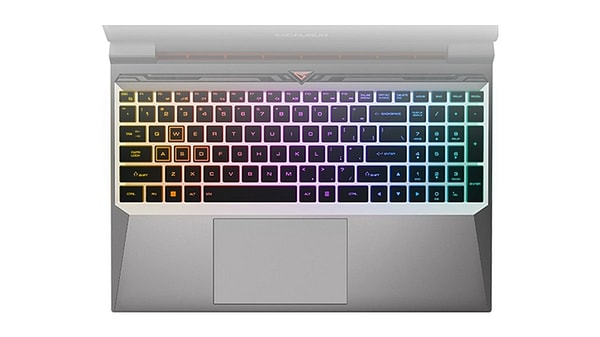
Which Casper Excalibur G870 configuration should you choose on a 60,000 TL budget?
If you have a 60,000 TL budget, the Casper Excalibur G870's 57,406 TL starting configuration fits right in that range. Casper lets you customize the G870 before buying, so you can spend money on the part that benefits you most.
How much does each upgrade cost on the starting model?
- 500GB to 1TB SSD: +1,942 TL (59,348 TL total). This is the only upgrade that stays under 60,000 TL; since games take up a lot of space, storage can be the first bottleneck.
- FreeDOS to Windows 11 Home: +3,754 TL (61,160 TL total)
- 8GB to 16GB DDR4 RAM: +4,207 TL (61,613 TL total). If you'll keep a browser, Discord and course files open alongside your game, this is the first upgrade to look at.
Which Excalibur G870 should you look at if you want more performance at medium settings?
Casper doesn't share per-game FPS data for the Excalibur G870, so the comparison has to be made on hardware. The starting RTX 3050 has 6GB of 96-bit GDDR6 memory. The RTX 5050 and RTX 5060 come with 8GB of 128-bit GDDR7 memory; Casper runs these cards at 115W TDP with Dynamic Boost 2.0 and highlights the RTX 50 series' DLSS 4.5 support. DLSS is an NVIDIA technology that aims to make images smoother by upscaling resolution with AI.
The price steps look like this: going from the 16GB RTX 3050 model (65,367 TL) to the RTX 4050 model (71,450 TL) means paying 9.3% more, from the RTX 4050 to the RTX 5050 (80,899 TL) 13.2% more, and from the RTX 5050 to the RTX 5060 (86,530 TL) 7% more. If your budget is strictly 60,000 TL, go with the RTX 3050 model; if you can stretch a little, the RTX 4050 or RTX 5050 models are a sensible next step for more headroom at medium settings. You can see all the configurations side by side in the table below.
With Wi-Fi 6, an Ethernet port and upgradeable RAM and SSD, the Casper Excalibur G870 fits school and dorm life
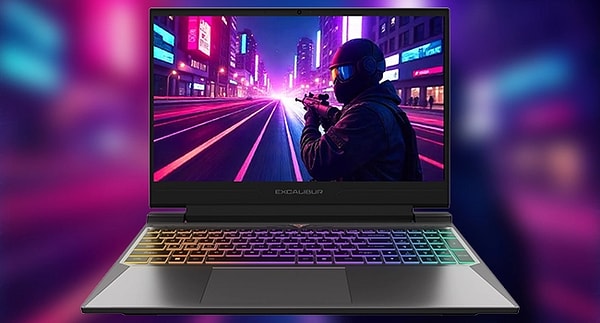
I'm a student. Is the Casper Excalibur G870 right for both gaming and school?
The Casper Excalibur G870 is a good laptop for students who game in the evenings and prepare classes, homework and presentations during the day, because alongside its gaming hardware it brings together connectivity options that are useful in the dorm and at school. On top of that, an installment option of up to 12 months makes it easier to spread a student budget over months.
What does the Excalibur G870 offer for everyday use at school and in the dorm?
- Wired and wireless internet: Alongside Wi-Fi 6 (802.11ax) and Bluetooth 5.2, there's an RJ45 Ethernet port. If the dorm offers wired internet, you can plug in directly.
- Ports: 3 USB 3.2 Type-A ports, 1 full-function USB-C port with up to 100W charging, 1 HDMI port and a microphone jack. HDMI makes it easy to connect to a projector or external monitor.
- Display: The anti-glare 15.6-inch IPS panel makes it easier to look at the screen from different angles in class or in the library.
- Audio: Dolby Audio-supported 2 x 2W stereo speakers.
- Copilot key: A single key on the keyboard gets you to Windows' AI assistant.
- Portability: 358 x 257 x 23.9 mm and 2.5 kg; you also need to factor in the 180W adapter.
- Battery: 61.53Wh, 4-cell smart battery. Casper doesn't share battery life in hours.
Will the Casper Excalibur G870 last me 5 years?
It's impossible to say for sure in advance whether a laptop will meet your needs for 5 years, but the Casper Excalibur G870 has features suited to long-term use. The device has 2 SODIMM memory slots (up to 64GB) and 2 M.2 NVMe storage slots, so RAM and SSD can grow as your needs increase. The Excalibur G870 comes with a 24-month warranty. Casper also offers 1-hour service, Jet service and Turbo service options.
If you're a student thinking long term, it makes sense to choose a configuration with at least 16GB of RAM and, if your budget allows, go for the RTX 50 series (8GB GDDR7) models, because while RAM and storage can be expanded later, the graphics card can't be replaced.
Frequently Asked Questions
Q: Are Casper Excalibur G870 owners happy?
A: According to the product page on Casper.com.tr, yes, the overall picture is positive. The Excalibur G870 has 37 user reviews with an average rating of 4.97 out of 5. Users most often highlight the price/performance, cooling and long-term trouble-free use; one user notes fan noise as the only downside.
Q: Should you buy the Casper Excalibur G870 as a gaming computer on a 60,000 TL budget?
A: Yes. The Excalibur G870's RTX 3050 starting configuration is 57,406 TL; upgrading the SSD to 1TB brings the price to 59,348 TL, still under 60,000 TL. The ready-made model with 16GB RAM and Windows 11 Home is 65,367 TL.
Q: Does the Casper Excalibur G870's starting model come with an operating system?
A: No, the 57,406 TL starting configuration comes with FreeDOS, meaning no operating system is installed. Choosing Windows 11 Home when buying costs 3,754 TL more, and Windows 11 Pro 10,355 TL more.
Q: Can you add RAM and SSD to the Casper Excalibur G870 later?
A: Yes. The Excalibur G870 has 2 SODIMM memory slots (up to 64GB) and 2 M.2 NVMe storage slots. According to Casper, the warranty isn't voided if the device isn't damaged during the replacement; however, parts installed later aren't covered by Casper's warranty. Casper recommends consulting an authorized service center for such upgrades.
Who Is It Not For?
The Casper Excalibur G870 offers a good start for many users, but it doesn't meet every need:
- Anyone looking for lightness: At 2.5 kg with a 180W adapter, the G870 isn't an ultra-light laptop to carry in a bag every day. Factor this in if you'll carry it around campus all day.
- Color-sensitive designers: The display offers 250 nits of brightness and 45% color saturation. Professional photography or graphics work that requires color accuracy needs a display with a wider color gamut.
- Anyone who wants to play new games at high settings and stay at 60,000 TL: The only option under 60,000 TL is the RTX 3050 starting model. RTX 50 series configurations start at 77,728 TL.
- Anyone who doesn't want to deal with setup: The starting model comes with FreeDOS; adding Windows costs an extra 3,754 TL.
- Anyone who really values quiet: One user review mentions fan noise as the only issue; keep this in mind if you'll be gaming at night in the same room as a dorm roommate.
- Anyone who prioritizes battery life: Casper shares the 61.53Wh battery capacity but not battery life in hours. If all-day use without an outlet is critical for you, there's no clear data on this.
- Anyone who wants a large or high-resolution display: The only display option on the G870 is 15.6-inch FHD (1080p).
Verdict: Which Budget and Who Is the Casper Excalibur G870 For?
The Casper Excalibur G870 is a customizable price/performance laptop for people new to gaming who don't want to strain their budget. In short:
- If your budget is fixed at 60,000 TL: The 57,406 TL RTX 3050 starting model; you can upgrade the SSD to 1TB and stay at 59,348 TL.
- If you're a student who wants to use it straight out of the box: The RTX 3050 model with 16GB RAM and Windows 11 Home, 65,367 TL.
- If you want more headroom at medium settings: The RTX 4050 model at 71,450 TL, the RTX 5050 model at 80,899 TL.
- If you plan to use it for years: The RTX 5060 8GB GDDR7 model at 86,530 TL; you can upgrade RAM and SSD later.
- What users say: An average of 4.97/5 across 37 reviews; price/performance and cooling stand out, fan noise is the thing to watch.
Source: Price and technical information was compiled on October 22, 2026 from the Excalibur G870 product, customization and model listing pages on casper.com.tr. User reviews were taken from the Reviews section of the same product page.
Keşfet ile ziyaret ettiğin tüm kategorileri tek akışta gör!
 Test
 Gündem
 Magazin
 Video



Send Comment