


A Tablet Buying Guide for Every Budget and Need!


We've put together a detailed tablet buying guide based on your budget and needs. We lined up Casper's tablet family, from the 8,999 TL VIA S50 to the 39,999 TL PAD Z10 Pro, side by side for work, school, drawing, TV and movies, and budget.
Last updated: November 11, 2026
When you compare Casper tablets, the picture is clear: If you're looking for a tablet for work that comes with a stylus and keyboard in the box and can be used like a laptop, the standouts are the 39,999 TL Casper PAD Z10 Pro or the 23,999 TL Casper PAD H10 Pro; for school, homework, drawing and TV shows at around 15,000 TL, the Casper PAD M10 priced between 13,999 and 16,999 TL; and for a school and kids' tablet under 10,000 TL, the 8,999 TL Casper VIA S50. Those who want a thin model with a high-quality screen can look at the PAD Z10 Pro with its 6 mm body and 14.2-inch OLED screen, or the PAD H10 Pro at 6.5 mm with a 12.6-inch OLED screen; those who want an affordable tablet with a good camera can look at the VIA S50 with its 13 MP + 2 MP rear camera. The PAD H10 Pro offers an OLED screen, a stylus and a keyboard case together for 16,000 TL (about 40%) less than the PAD Z10 Pro. Prices are those listed on casper.com.tr as of November 11, 2026.
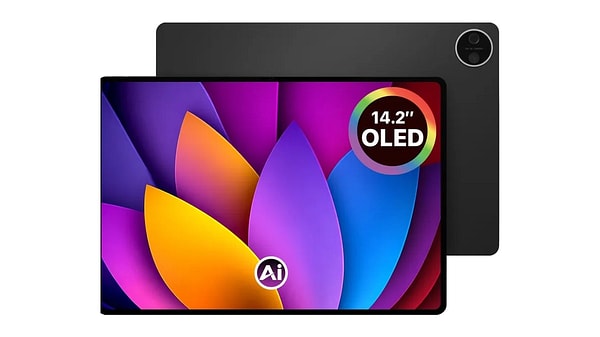
If your budget is flexible, a work tablet: the Casper PAD Z10 Pro works like a laptop for 39,999 TL with its 14.2-inch 144 Hz OLED screen, stylus and Magic Keyboard
Which Casper Tablet Is Right for Whom?
The answer to which Casper tablet is right for whom lies in your budget and what you'll use the tablet for. These four Casper models sit on four separate price tiers between 8,999 TL and 39,999 TL, and each tier appeals to a different user:
- Under 10,000 TL, school and kids: Casper VIA S50, 8,999 TL
- Around 15,000 TL, students and drawing: Casper PAD M10, 13,999 TL (Pen) / 16,999 TL (Pro)
- 20,000-25,000 TL, work and study with an OLED screen: Casper PAD H10, 19,999 TL (Pen) / 23,999 TL (Pro)
- The 40,000 TL bracket, a laptop replacement: Casper PAD Z10 Pro, 39,999 TL
Which High-Quality Tablet for Work Comes With a Stylus and Keyboard?
The top-spec Casper tablet that comes with a stylus and keyboard in the box for work is the PAD Z10 Pro. Casper positions this model as one that offers a laptop-like tablet experience. The box includes the Casper Prestige Pen and the Magic Keyboard with a touchpad and Turkish Q layout, so you don't need to set aside a separate budget for accessories.
- Screen: 14.2-inch OLED, 2880x1920 (2.8K), 3:2 aspect ratio, 144 Hz, 600 nits (800 nits with HBM), anti-glare coating
- Performance: 4 nm MediaTek Dimensity D8300, 3.35 GHz, 24 TOPS NPU
- Memory and storage: 12 GB LPDDR5, 256 GB, expandable up to 1 TB
- Battery: 10,000 mAh, 30W charging, up to 10 hours of video playback according to Casper
- Audio: 4 speakers with Dolby Atmos support
- Stylus and keyboard: 60 hours of battery life on the stylus and 96 hours on the keyboard; 2 buttons on the stylus for eraser and right-click
What Does Using the PAD Z10 Pro Like a Laptop Mean, and What Can You Do With It?
The Casper PAD Z10 Pro working like a laptop means you can handle everyday office and school tasks on the tablet, thanks to the in-box keyboard, stylus and split-screen support. Here are the concrete use cases Casper highlights on its product page:
- Note-taking: With the Prestige Pen, you can take handwritten notes on the screen in a meeting or class. Thanks to palm rejection, you can rest your hand on the screen and write as if on paper; of the two buttons on the stylus, one works as an eraser and the other as a right-click.
- Editing and signing documents: You can mark up documents with the stylus, sign them and add correction notes. Long texts you type on the Magic Keyboard; since the 3:2 aspect ratio shows more rows vertically in documents and spreadsheets, you scroll less.
- Preparing and giving presentations: Casper says the Magic Keyboard makes preparing presentations and managing email more comfortable. Thanks to the touchpad, you don't need to carry a separate mouse. The OLED screen's contrast and color depth also help presentations, portfolios and visual content look impressive.
- Multiple windows and split screen: You can split the screen in two and follow course content on one side while taking notes on the other, or research while working on a document. The 14.2-inch screen leaves room to open two windows side by side, and the 12 GB of memory makes switching between apps smoother.
- Email and video meetings: You can write and reply to emails with the keyboard, and follow video meetings and corporate videos with the 4 speakers supporting Dolby Atmos.
Because the keyboard's hinge is adjustable, you can fix the tablet at whatever angle you like on a desk; the keyboard attaches to the tablet magnetically. In short, the PAD Z10 Pro is designed for those who want to bring writing, documents, presentations and notes together on a single device. Since the device ships with Android 16, it's a good idea to check in advance whether the work apps you use have an Android version.
On the AI side, Casper says the 24 TOPS NPU provides the foundation for on-device processing in compatible apps.
I'm Looking for a Thin Tablet With a High-Quality Screen. Is the PAD Z10 Pro a Good Fit?
Yes. The Casper PAD Z10 Pro is 6 mm thick and weighs 690 grams; it's the thinnest body among the models whose thickness has been disclosed. The OLED panel offers 1,000,000:1 contrast and 10-bit color (1.07 billion colors). Its 144 Hz refresh rate is also the highest among the models we compared; scrolling, stylus strokes and games look smoother.
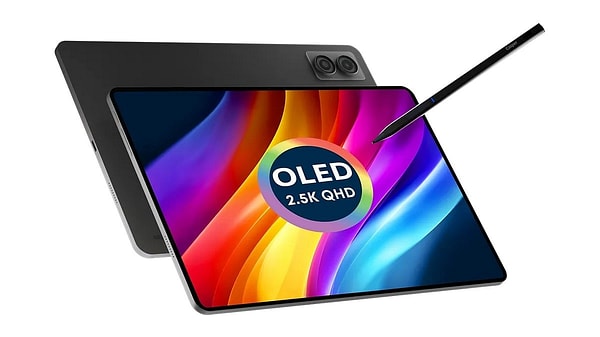
OLED, stylus and keyboard without hitting 40,000: the Casper PAD H10 Pro costs 23,999 TL, 16,000 TL less than the PAD Z10 Pro
Which Tablet Between 20,000 and 25,000 TL Has an OLED Screen, a Stylus and a Keyboard?
For those who want an OLED screen, a stylus and a keyboard together in the 20,000-25,000 TL bracket, Casper's answer is the PAD H10 Pro. At 23,999 TL, it's 16,000 TL, or about 40%, cheaper than the PAD Z10 Pro. According to Casper's product page, the PAD H10 Pro bundle includes the Prestige Pen and a leather keyboard case; the keyboard has a touchpad and a Turkish Q layout.
- Screen: 12.6-inch OLED, 2560x1600 (2.5K), 60 Hz, 400 nits (up to 600 nits), 1,000,000:1 contrast
- Performance: 6 nm MediaTek Dimensity D7050, 2.6 GHz
- Memory and storage: 8 GB RAM, 256 GB, up to 512 GB with microSD
- Battery: 10,000 mAh, 20W charging
- Body: Aluminum alloy, 6.5 mm, 580 grams
- Connectivity: Wi-Fi 6 (802.11ax), Bluetooth 5.2
If you don't need the keyboard, the same tablet is sold as the PAD H10 Pen with a stylus and case for 19,999 TL; the 4,000 TL difference comes from the keyboard case.
What Can You Do Laptop-Style With the PAD H10 Pro?
According to Casper, the PAD H10 Pro's keyboard case brings the tablet closer to laptop-style use and speeds up writing text and editing documents. Here are the use cases Casper lists:
- Meeting and class notes: Quick handwritten notes with the Prestige Pen
- Documents and text: Writing long texts and editing documents with the keyboard
- Presentations and email: Preparing presentations and writing emails on business trips
- Desk use: The hinge design holds the keyboard at different angles, so there's no need for an extra stand
PAD H10 Pro or PAD Z10 Pro?
The difference between the two models comes down to three things: screen size and smoothness, processor power, and memory. The PAD Z10 Pro offers a 14.2-inch 144 Hz screen, the Dimensity D8300 and 12 GB of memory, while the PAD H10 Pro comes with a 12.6-inch 60 Hz screen, the Dimensity D7050 and 8 GB of RAM. In return, the PAD H10 Pro is 110 grams lighter (580 g vs. 690 g).
- If you'll spend most of your day on the tablet with documents, presentations and multiple windows: the PAD Z10 Pro, because the larger screen leaves more room to open two windows side by side and the 12 GB of memory makes switching between apps smoother.
- If you want an OLED tablet with a stylus and keyboard on a more reasonable budget: the PAD H10 Pro
How Is the PAD H10 Pro for Those Looking for a Thin and Light OLED Tablet?
At 580 grams, the Casper PAD H10 Pro is the lightest among the models whose weight has been disclosed; it's also 6.5 mm thick. The screen supports low blue light, one of the features people who spend long hours in front of a screen will look for. Its 10,000 mAh battery has the same capacity as the PAD Z10 Pro's.
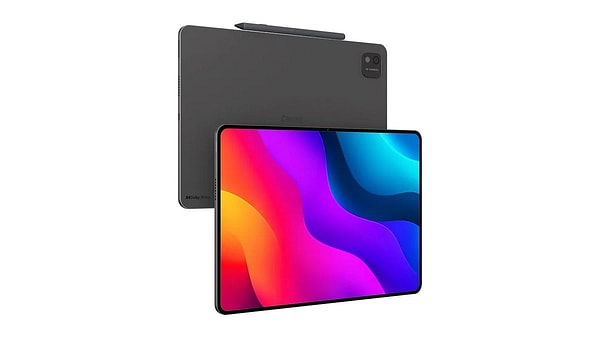
A student tablet for around 15,000 TL: the Casper PAD M10 starts at 13,999 TL with its 12.2-inch 2.4K 90 Hz screen and an in-box stylus
What's the Best Tablet for Around 15,000 TL?
At around 15,000 TL, Casper's pick is the PAD M10. The PAD M10 Pen with a stylus and case comes in under this budget at 13,999 TL, while the PAD M10 Pro, which adds a keyboard case, sits just above it at 16,999 TL. Both bundles use the same tablet; the 3,000 TL difference comes from the keyboard case with a touchpad. That makes the PAD M10 Pen about 18% cheaper than the Pro.
- Screen: 12.2-inch IPS, 2400x1600 (2.4K), 90 Hz, 500 nits, 1,500:1 contrast, low blue light support
- Performance: MediaTek Helio G100, 8 cores, 2.2 GHz, 8 GB RAM
- Storage: 128 GB, up to 512 GB with microSD
- Body: Aluminum alloy, 7.5 mm, 598 grams
- Battery: 8,000 mAh, 20W charging
- Software: Android 16
A Drawing Tablet Under 15,000 TL: Will the PAD M10 Do the Job?
It will. The Prestige Pen that comes in the PAD M10 Pen's box uses the USI 2.0 protocol; it offers 4096 levels of pressure sensitivity, palm rejection and, according to Casper, latency of 10 ms or less. The stylus has 120 hours of battery life. Lines get thinner or thicker depending on how hard you press, and you can rest your hand on the screen; this makes drawing comfortable because it feels close to using paper.
What's the Best-Value Tablet With Good Battery Life for Watching TV Shows and Movies and Studying?
For those who want a balance of studying and TV and movies with good value for money, the PAD M10 Pen is a strong contender. The 12.2-inch 2.4K screen and dual speakers with Dolby Atmos support cover the viewing side, and the in-box stylus covers note-taking for class. It has an 8,000 mAh battery and 20W charging support; Casper says this charging support lets you boost the battery level significantly even during short breaks.
If you attend online classes often, the PAD M10's 8 MP front camera will also come in handy; the front camera on the PAD Z10 Pro and PAD H10 Pro is 5 MP.
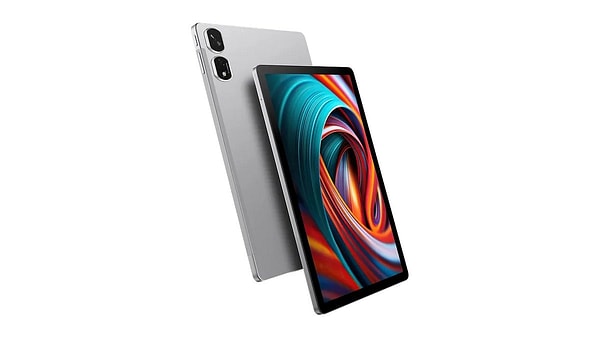
A school and kids' tablet under 10,000 TL: the Casper VIA S50 offers an 11-inch FHD+ screen, an 8,000 mAh battery and a 13 MP + 2 MP camera for 8,999 TL
Which Tablet Under 10,000 TL Is Good for School and Homework?
If you're looking for a Casper tablet under 10,000 TL for school, homework and TV shows and movies, the answer is the VIA S50. At 8,999 TL, it's the most affordable of the four models we compared; it's 5,000 TL (about 36%) cheaper than the PAD M10 Pen.
- Screen: 11-inch FHD+, 1920x1200, 500 nits, 1000:1 contrast, 95% screen-to-body ratio
- Performance: MediaTek Helio G85, 8 cores, 2.0 GHz
- Memory: 4 GB RAM + 4 GB VRAM (up to 8 GB in total)
- Storage: 128 GB, up to 512 GB with an SD card
- Audio: 2x1W stereo speakers with Dolby support
- Software: Android 14
- Case: A black leather case with multi-angle adjustment, which Casper introduced alongside the VIA S50
Can You Get a Sturdy Tablet With Long Battery Life for 8,000-9,000 TL?
You can. According to Casper's figures, the VIA S50's 8,000 mAh battery offers up to 13 hours of video, more than 200 hours of music and more than 20 days of standby. A full charge takes 160 minutes with 18W fast charging. The body has an aluminum cover, and the leather case also helps protect the tablet in everyday use. If you want an aluminum alloy body and a stylus, the next tier up is the 13,999 TL PAD M10 Pen.
Which High-Quality Tablet Can My Child Use for Homework and Watching Videos?
For younger children who mainly use it for videos and homework, the VIA S50 is the first model to look at; Casper promotes it as a portable, compact tablet that children can also use safely. For older kids who will take notes with a stylus, draw or attend online classes often, the PAD M10 Pen makes more sense, because the stylus comes in the box, the screen is 12.2 inches and it has low blue light support.
Which Affordable Tablet Has a Good Camera?
If you want an affordable price and a camera together, the standout model is the VIA S50: an AI-assisted 13 MP main camera, a 2 MP macro lens and an 8 MP front camera. The PAD M10 has 8 MP rear and 8 MP front cameras, while the PAD H10 Pro and PAD Z10 Pro have a 13 MP rear and a 5 MP front camera. So the VIA S50 is the only one of the four models with two rear cameras, and it shares the highest front camera resolution with the PAD M10.
What's the Best-Value Casper Tablet?
Two names stand out for value for money: the VIA S50 and the PAD M10 Pen. The VIA S50 gives you an 11-inch FHD+ screen, an 8,000 mAh battery and dual rear cameras for 8,999 TL. For 5,000 TL more, the PAD M10 Pen adds a 12.2-inch 2.4K 90 Hz screen, 8 GB of RAM, an aluminum alloy body and an in-box stylus. In the upper segment, the PAD H10 Pro offers an OLED screen and the stylus-and-keyboard bundle for about 40% less than the PAD Z10 Pro. The table comparing all four models side by side is right below.
Frequently Asked Questions
Question: Do Casper tablets come with a stylus and keyboard in the box?
Answer: It depends on the model. The Casper PAD Z10 Pro comes with the Prestige Pen and Magic Keyboard, the PAD H10 Pro and PAD M10 Pro come with the Prestige Pen and a keyboard case, and the PAD M10 Pen comes with the Prestige Pen and a case. The Casper VIA S50 does not come with a stylus; Casper presents this model together with its black leather case.
Question: What's the difference between the Casper PAD M10 Pen and PAD M10 Pro?
Answer: Both bundles use the same tablet: a 12.2-inch 2.4K 90 Hz screen, a Helio G100 processor, 8 GB of RAM and an 8,000 mAh battery. The difference is in the box: the PAD M10 Pro also includes a keyboard case with a touchpad, and it costs 3,000 TL more (16,999 TL vs. 13,999 TL).
Question: Is there a Casper tablet under 10,000 TL?
Answer: Yes. The Casper VIA S50 comes in under 10,000 TL at 8,999 TL; it has an 11-inch FHD+ screen, an 8,000 mAh battery, 128 GB of storage and a 13 MP + 2 MP rear camera.
Question: Can you put a SIM card in Casper tablets?
Answer: The Casper PAD Z10 Pro, PAD H10 Pro, PAD M10 and VIA S50 we compared are Wi-Fi models. According to the FAQ sections on Casper's product pages, the tablets that take a SIM card are the current L series models.
Who Are They Not Right For?
- PAD H10 Pro for those who prioritize smoothness: The Casper PAD H10 Pro's screen is 60 Hz. If smooth scrolling and gaming are your priority, the 144 Hz PAD Z10 Pro or the 90 Hz PAD M10 is a better fit.
- VIA S50 for heavy multitaskers: The Casper VIA S50 has 4 GB of RAM and 4 GB of VRAM; it's a model positioned for homework, video and everyday use. If you'll be running lots of heavy apps at the same time, the PAD M10 and above will handle it more comfortably.
- Those who want internet anywhere via a SIM card: All four models are Wi-Fi only; Casper points to the L series for this need.
- Those who want to connect the tablet to a TV via HDMI: According to the FAQ on Casper's PAD M10 and VIA S50 product pages, these models do not support video output over HDMI.
- PAD Z10 Pro for those who will only watch TV shows and movies: The productivity-focused features of the 39,999 TL PAD Z10 Pro, such as the stylus, keyboard and 12 GB of memory, may be overkill for this kind of use; the VIA S50 or PAD M10 Pen makes better use of your budget.
Conclusion: Which Casper Tablet Is Right for Whom?
In short, which Casper tablet you should pick depends on your budget and what you'll use it for:
- If you'll use it like a laptop: Casper PAD Z10 Pro, 39,999 TL. 14.2-inch 144 Hz OLED screen, 12 GB of memory, Prestige Pen and Magic Keyboard.
- If you want OLED, a stylus and a keyboard on a more reasonable budget: Casper PAD H10 Pro, 23,999 TL. If you don't need the keyboard, the PAD H10 Pen is 19,999 TL.
- For studying, drawing and TV shows at around 15,000 TL: Casper PAD M10, 13,999 TL (Pen) / 16,999 TL (Pro). 12.2-inch 2.4K 90 Hz screen and an in-box stylus.
- For school, kids and camera use under 10,000 TL: Casper VIA S50, 8,999 TL. 11-inch FHD+ screen, 8,000 mAh battery, 13 MP + 2 MP rear camera.
Source: Price and technical information was compiled from the product pages on casper.com.tr on November 11, 2026.
Keşfet ile ziyaret ettiğin tüm kategorileri tek akışta gör!
 Test
 Gündem
 Magazin
 Video



Send Comment