


Why is Your Internet Slow? 5 Surprising Household Objects Disrupting Wi-Fi (Even Aquariums)


Does your internet at home slow down from time to time or does your connection frequently drop out? Be careful, the culprit may not always be your modem. According to experts, some items we use at home can weaken the WiFi signal. Moreover, one of them is an aquarium, and the other is a device found in almost every kitchen. So, what disrupts the WiFi signal? What should be done to strengthen the WiFi signal?
Here are the details.

5 Surprising Things That Disrupt Wi-Fi Signal Revealed!
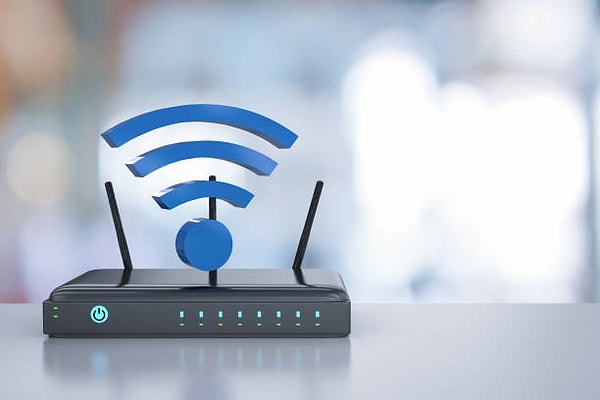
According to a report prepared by BBC Future, compiling the works of WiFi pioneer Alex Hills and information from his book 'WiFi and the Bad Boys of Radio', some items we unknowingly use at home can weaken the WiFi signal. Let's take a look together at 5 surprising items that disrupt the WiFi signal:
- Beware of the Microwave Next to the Modem
Wireless internet connections work with radio waves. The 2.4 GHz frequency used especially by old type modems is in the same band as the operating frequency of microwave ovens.
Therefore, if you are using an old microwave oven or if the modem is located very close to the kitchen, temporary slowdowns can occur in the internet connection while heating food. The 5 GHz and 6 GHz bands used in new generation modems largely reduce this problem.
- Aquariums are a Bigger Obstacle Than Thought
The most interesting object affecting the WiFi signal is aquariums. The reason, of course, is not the fish, but the water.
Because water molecules weaken radio signals, if there is a large aquarium between your modem and your device, the connection quality can noticeably decrease. Especially large aquariums can cause 'dead spots' in the house.
- Mirrors and Large TVs Can Confuse the Signal
WiFi signals can bounce off hard and reflective surfaces. Large mirrors, metal surfaces, and wide-screen TVs can change the direction of the signal, causing the connection to be weaker than expected in some rooms.
- Thick Walls Make the Connection Difficult
Dense building materials like concrete and brick are among the biggest enemies of the WiFi signal. The more walls there are between the modem and the phone or computer, the weaker the signal strength.
- Extreme Cold and Hot Weather Can Also Affect
Weather conditions can also affect the internet infrastructure, even if they do not directly disrupt the WiFi signal in your home. Heavy snowfall and storms, as well as extreme heat, can cause faults in internet lines. As a result, there can be a decrease in connection speed or interruptions.
Sure, What Can You Do to Strengthen Your Wi-Fi Connection?

Experts recommend placing the modem as close to the center of the house as possible and positioning it high off the ground for a stronger connection.
There should not be thick walls, large aquariums, or metal surfaces between the modem and the device.
In case of a large house, using WiFi boosters or Mesh systems is shown as one of the most effective solutions to distribute the internet more evenly to all rooms.
Keşfet ile ziyaret ettiğin tüm kategorileri tek akışta gör!
 Test
Test
 Gündem
 Magazin
 Video
Video
Read More







Send Comment