


User Overwhelmed by Desktop Clutter Hides All Folders Under a Digital Rug


In these days where we spend most of our time in front of the computer, the desktop unwittingly becomes a drawer where everything piles up for many of us. As the documents we download, screenshots, and folders we say 'I'll look at it later' accumulate, this clutter can confront all of us the moment we enter a meeting or share our screen.
A user who wanted to escape from the chaos on the desktop applied the idiom of 'sweeping problems under the rug' quite literally, hiding all files and folders under a digital rug. When the rug was spread on the desktop, all the stacked icons disappeared from sight, and when the corner was lifted, it was seen that the files were still standing underneath. The resulting image received full marks from the viewers.

You can watch it from here;
There are practical ways to conceal desktop clutter.
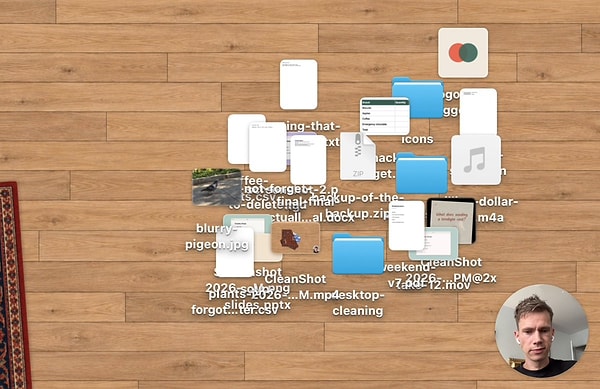
A cluttered desktop not only creates an unpleasant visual, but also makes it harder for us to find the files we're looking for. Moreover, files that are swept under the rug, so to speak, can reappear at any moment since they're not deleted.
For Mac users, one of the most practical methods is the Stacks feature. By right-clicking on the desktop and selecting 'Use Stacks', files are automatically grouped according to their type. The same operation can also be performed using the Control + Command + 0 shortcut.
Those who want to hide all icons at once can type the command 'defaults write com.apple.finder CreateDesktop false' into the Terminal, followed by running the 'killall Finder' command. The files continue to reside in the Desktop folder, and the icons reappear when the 'false' statement in the command is changed to 'true'.
On the Windows side, it's enough to right-click on the desktop and uncheck the 'Show desktop icons' option from the View menu. In short, instead of dealing with a messy desktop, it's possible to choose a hiding method that suits our needs.
Keşfet ile ziyaret ettiğin tüm kategorileri tek akışta gör!
 Test
Test
 Gündem
 Magazin
 Video
Video



Send Comment